
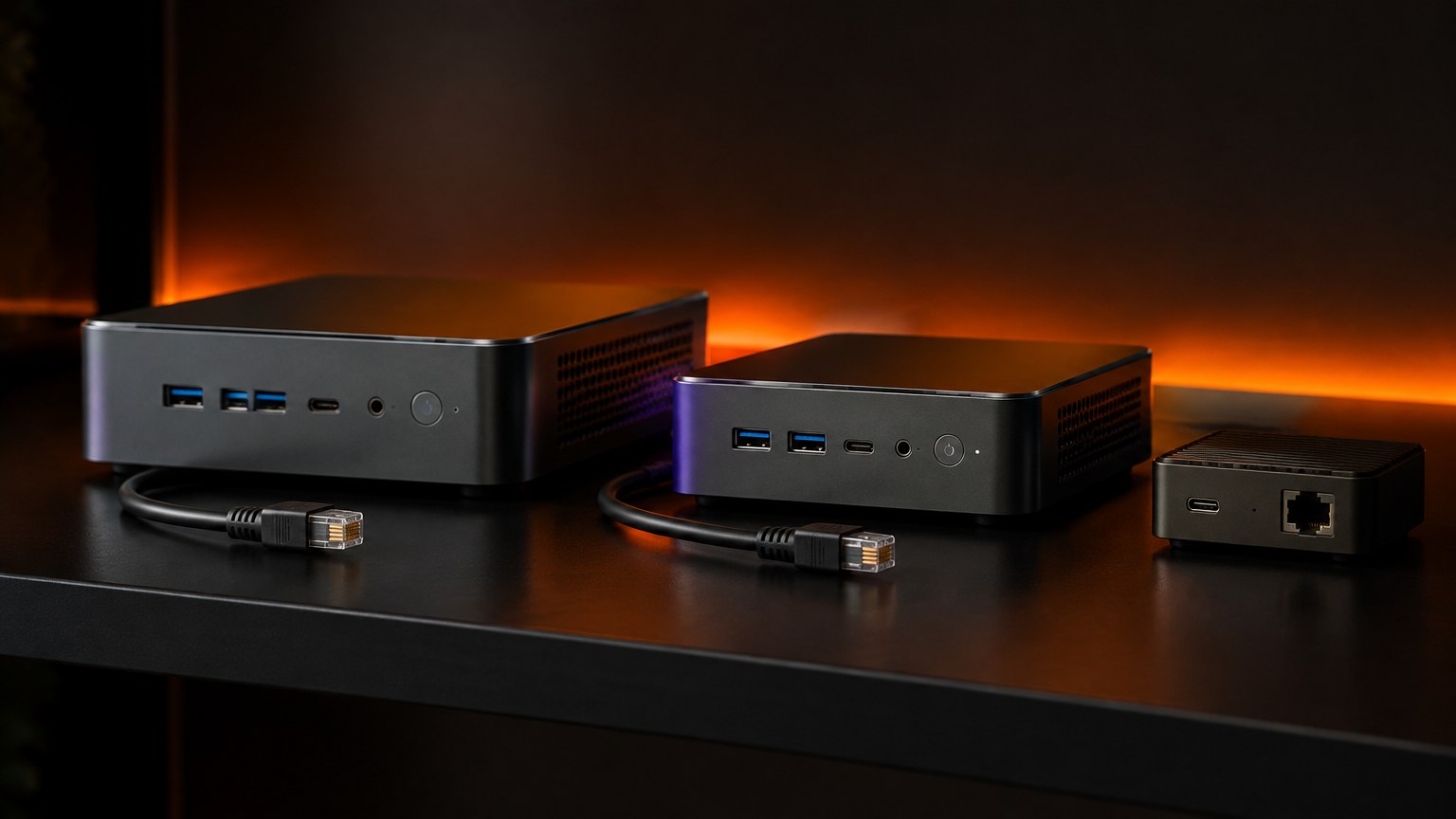
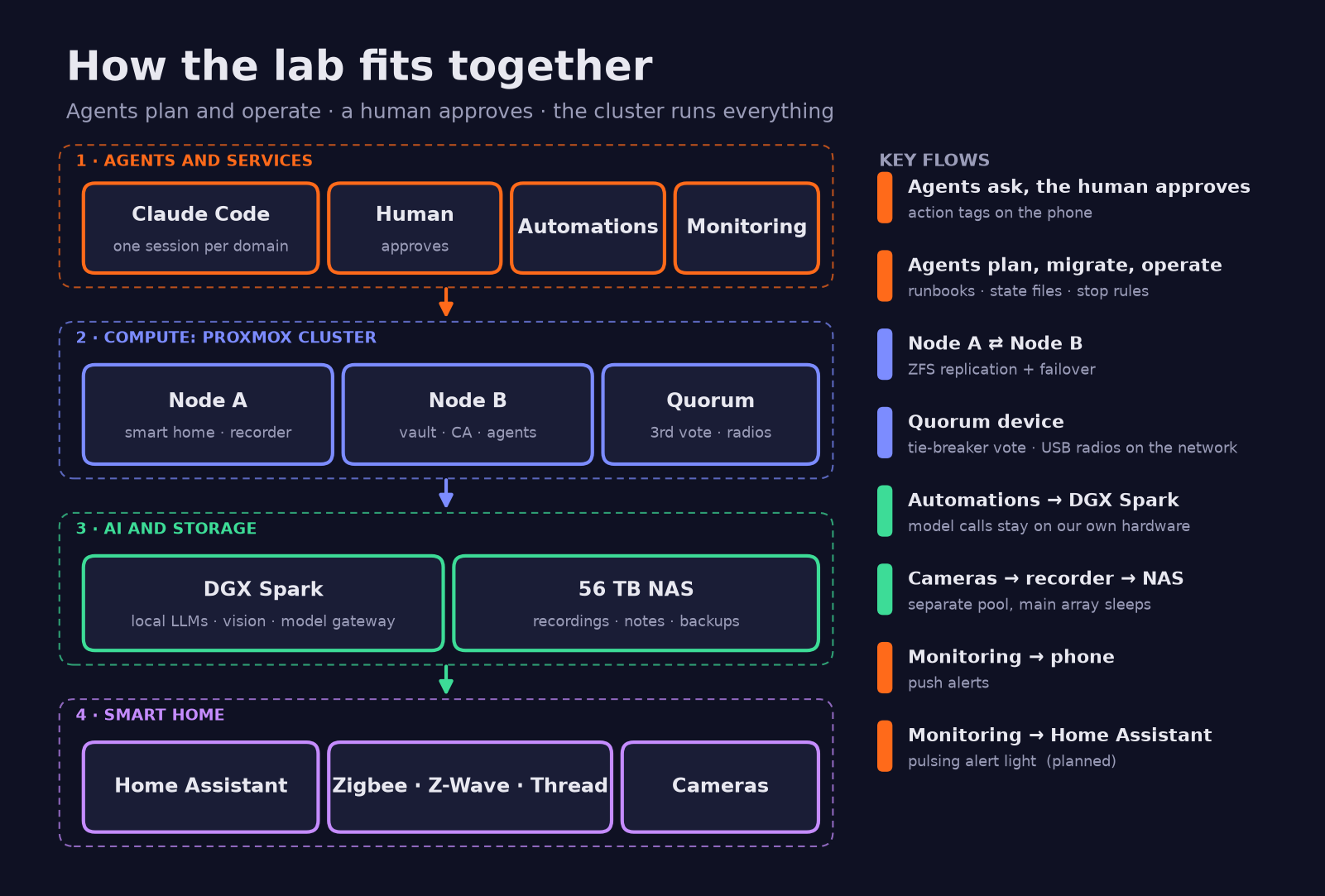
For most of September our lab’s services lived on one Mac with 16 GB of memory. It ran the smart home, the camera recorder, the password vault, the internal certificate authority, the automations and the agent stack, and it was swapping itself into the ground. In two weeks they moved to a Proxmox cluster that now works alongside an NVIDIA DGX Spark for local models, a NAS heading for 56 TB and a Home Assistant house, all planned, migrated and watched by a set of Claude Code sessions working in parallel, with a human approving every step that mattered.
This is the overview for the series: how the pieces fit, why, what broke and what is next, with a plain-English note after each nerdy bit.
Why a small AI studio runs its own lab
D3X Solutions LABS builds AI systems for clients, so we need somewhere to break things that is not a client’s production.
- Privacy. Camera snapshots are described by a vision model on our own AI box, not a cloud API.
- Cost. Always-on agents make a lot of model calls; routine work goes to local models through one gateway.
- Learning. Every pattern we recommend has been tried here first, on our own data.
- Local LLMs. Running models yourself teaches their real latency, memory and failure modes.
The hardware, and what each box is for
| Role | Hardware | Job |
|---|---|---|
| Hypervisor node A | Intel NUC 13 (12 cores, 16 threads), 32 GB, 500 GB NVMe | Smart home, camera recorder (with the iGPU), Kubernetes control plane |
| Hypervisor node B | Intel NUC 11 (4 cores, 8 threads), 32 GB, 500 GB NVMe | Certificate authority, vault, automations, agent stack, Kubernetes worker |
| Quorum device | A spare older NUC | The cluster’s third vote, plus the USB radios served over the network |
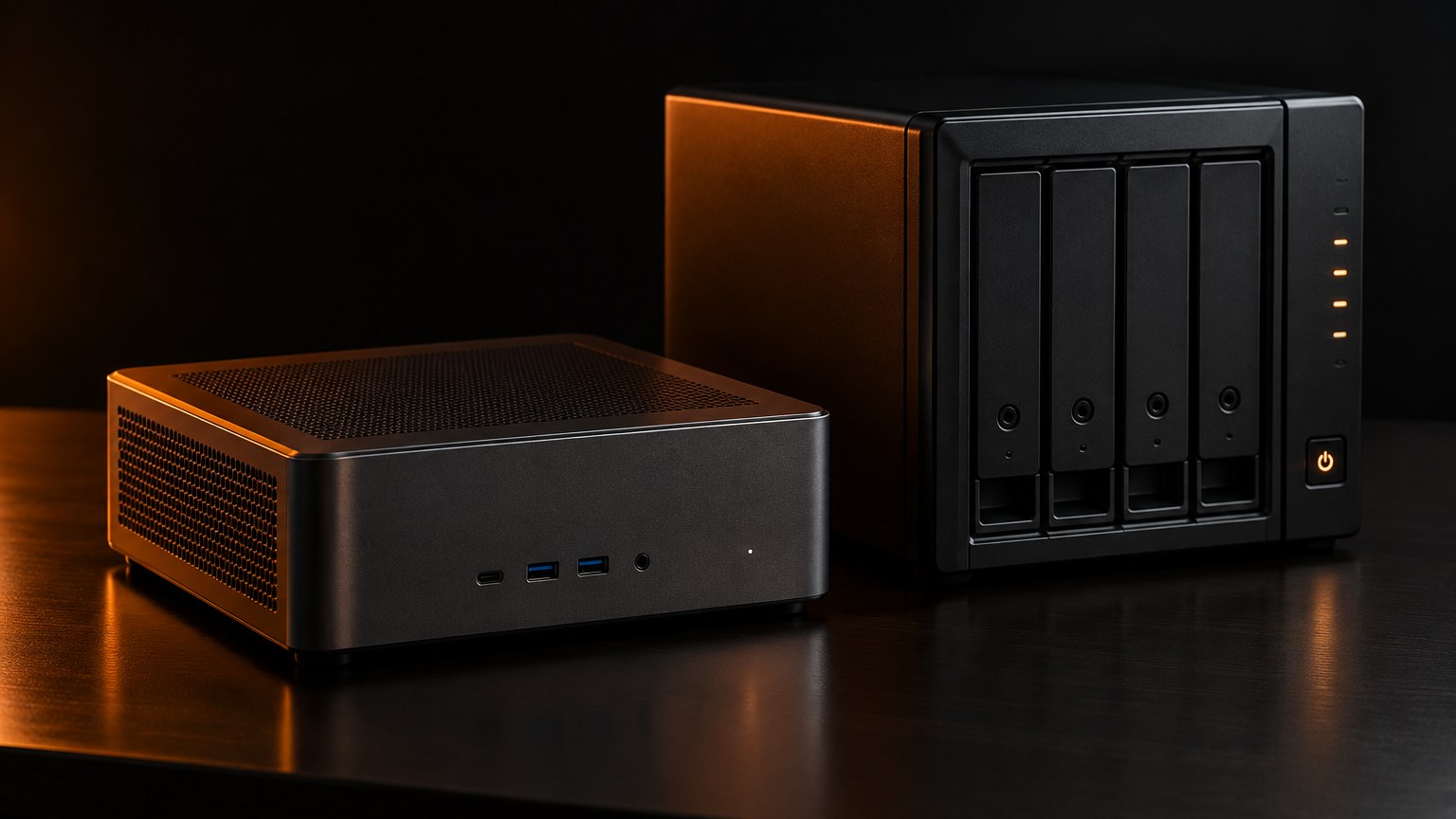
| The AI box | NVIDIA DGX Spark (ASUS GX10, GB10 chip) | Local chat and vision models, the LLM gateway, photo machine learning |
| The NAS | Unraid in a Fractal Node 804 | Recordings, shared agent notes, model archive, backups |
| The Mac | 16 GB Apple Silicon desktop | Back to being a workstation, plus one Apple-only transcription service |
Both nodes run ZFS on their NVMe. Guest disks stay on local flash; the NAS gets recordings, shared files and backups. The nodes were installed over the network with PXE and per-node answer files, and the boot server refuses unknown machines.
Two nodes and a tie-breaker
A cluster needs a majority of votes to act, so two nodes alone cannot tell “my partner died” from “the cable between us broke”. The third vote comes from a corosync quorum device on the spare NUC. Lose any one of the three and the other two still form a majority. That box also serves the Zigbee, Z-Wave and Thread radios over TCP; if it dies the radios go quiet but the cluster keeps working.
Containers or VMs: why we changed our minds
Plan one, written on 29 September, used three VMs, one of them holding the Intel iGPU and all three USB radios by passthrough. Two flaws: a VM holding physical devices can never move to the other node, and if node B died, node A would need about 44 GB out of 32. The fix on paper was 64 GB per node.
So we measured before buying: 16 running containers on the Mac used 4.3 GB in total, plus about 0.4 GB of native services. Three days later the plan became LXC first: one unprivileged Linux container per stack, Docker Compose inside where the stack already used it. An LXC memory setting is a ceiling, not a reservation, so typical use came to about 17 GB on node A and 12 GB on node B, and the worst failover case still fits. No RAM upgrade.
Two hardware problems had to go away rather than be passed through:
- USB radios moved onto the quorum box. The smart-home container reaches them over the network, so it holds no device and can restart on either node.
- The iGPU is shared into the camera recorder container as a render device for OpenVINO detection (8.4 ms per inference) and VA-API decoding. Both nodes expose it, so the recorder can start on either.
VMs stayed for the Kubernetes nodes, which need a full kernel and whose state is code. Docker inside an unprivileged LXC on ZFS was the risky bet, so it was proven on the vault container first, with documented fallbacks.
This also reversed a decision from the smart-home build, which had rejected LXC as too fragile for GPU and USB. The answer was not to fight passthrough but to remove the need for it.
Failover without twins
We did not build pairs of everything. Each role has one guest, its disk replicates to the other node with ZFS, and Proxmox high availability restarts it on the survivor if its home node dies.
| Tier | Guests | Replication (data at risk) | Restart target |
|---|---|---|---|
| 1 | Certificate authority, vault, smart home | Every minute | About 2 to 4 minutes |
| 2 | Camera recorder, automations, agent stack | Every 5 minutes | About 2 to 4 minutes |
| Kubernetes VMs | Control plane, worker | None needed: state is code | 46 to 138 s rebuild (measured) |
The restart targets are design numbers; the drill that proves them, pulling a node’s power, has not been run yet. Home Assistant gets exactly one instance, because two copies would fight over the radios.
Replication is not backup: a deleted file replicates within a minute. So both nodes take local snapshots hourly (keep 24) and daily (keep 7). Containers with a NAS mount cannot use Proxmox’s own snapshots, so they get ZFS snapshots of their volumes instead. Nightly full-guest backups to the NAS and an encrypted off-site copy of the vault and CA root are planned, not done; the off-site copy is the known gap.
Names, never addresses
Before moving anything, the agent swept the Mac, the router, the nodes and the AI box for hard-coded network addresses. It found 687 distinct hits. The AI box alone was referenced by raw address 275 times. Sixty references pointed at the Mac’s old address, which the network had since handed to a smart speaker, so code meant to send an audio briefing to the Mac was aiming at a speaker. A naming audit found one machine with four names and a hostname that changed between two reads.
The rule since then is strict. Every machine, VM, container and Kubernetes node follows one naming convention, with the same name for hostname, DHCP reservation, hypervisor guest and cluster node, and everything refers to everything else by a fully qualified DNS name. Addresses appear in only three places: the IP plan (one CSV), the router’s reservations and DNS records, and bootstrap files where no resolver exists yet. A new guest gets its DNS record and its plan row before anything may mention it.
Two DNS lessons we paid for
First, the router answered IPv4 lookups but silently timed out on IPv6 lookups for names held in only one of its two record stores. Go programs ask for both at once, so they failed while the Mac never noticed. Every record now lives in both stores.
Second, reloading DNS on the router is a full restart, and lookups stall for about ten seconds. Flipping a name and starting the reverse proxy straight away made its certificate request fail, costing about five and three minutes of outage on two names. The flip script now waits until the CA resolves the new address, and reverts itself on failure.
Moving house: runbooks, Mac to cluster
The agent wrote migration runbooks for seven guests from a read-only sweep, with no secret values inside, only paths and variable names. Shared conventions:
- Secrets travel sealed. They move only as archives in a private staging folder, are never opened in a terminal, and are checked with SHA-256 on both sides.
- Rehearse hot, cut over cold. Rehearsal copies may be taken live. The final copy is always taken with the old service stopped.
- Dry boots with the network unplugged. A copied stateful stack first boots with its network link down, so it cannot talk to cameras, speakers, Telegram or Gmail by accident.
- Never run both. Two camera recorders would delete each other’s footage through retention cleanup. Two automation engines would send duplicate email drafts and fight over the Telegram bot.
- One rollback shape. Stop the new service, restore DNS from the backup, start the untouched Mac container. Nothing on the Mac is removed until a seven-day soak has passed.
The order followed the dependencies, starting with the certificate authority and ending with the Mac clean-up. Most of it happened on 2 and 3 October.
| Move | Result |
|---|---|
| Certificate authority | Key hashes and root fingerprint identical; no device had to re-trust anything |
| Vault | About 10 minutes down against 5 planned; item counts matched |
| USB radios | Zigbee gap about 3 min 45 s; nothing re-paired |
| Camera recorder | Recording gap about 10 to 15 minutes; detection on the iGPU |
| Automations | 10 workflows, the same 3 active, zero decryption errors |
| Agent stack | First attempt rolled itself back after about 45 s; second run under a minute |
| Mac clean-up | Docker disk image 39 GB to 6.1 GB; about 10 GB of app data freed after archiving |
Two of those rows are failures that went the right way. The vault script stalled on a badly quoted remote check, so the agent finished by hand and wrote down the lesson: plain commands with timeouts. The agent-stack script’s health probe fired while the gateway was still starting, tripping its error trap and rolling everything back. Exactly what a trap is for.
Watching it: monitoring and self-healing
The Kubernetes lab cluster already ran Prometheus, Grafana and Alertmanager, so the homelab joined that stack. Everything is scraped by DNS name:
- the Proxmox API: guest resources, high-availability state, quorum and replication;
- node exporters on both hypervisors, including snapshot age;
- a textfile-only exporter in each guest, about 8 MB of memory, reporting Docker container health, restarts and job heartbeats (latest smart-home backup, daily publishing runs, scheduled builds, off-box backup);
- Home Assistant’s and the camera recorder’s own metrics;
- blackbox probes for every lab website’s reachability and certificate expiry, and a check that the Thread border router still answers “leader”.
That feeds 28 alert rules, from “node down” to “certificate expires within 14 days”, delivered as phone push notifications with a second message on resolve.
On 12 October the NAS was powered down for cabling, two drives went undetected on restart, and the array stayed down for about two hours. When it returned, the network mounts on both nodes were stale and needed fixing by hand. The agent then automated the fix: every minute, each node checks that the NAS answers and its exports exist, remounts anything stale and restarts the guests that depend on it. While the share is missing, the empty mount folder is made immutable, so nothing writes to local disk by mistake. A new alert tests an actual write to the recordings folder every minute, because with motion-only recording, “newest file is old” just means a quiet night.
How the agents work together
No single agent runs the lab. Several Claude Code sessions run in parallel, one per domain: the hypervisors, the NAS, the smart home, a clean-up session for the GPU workstation and AI box, and others, each in its own named terminal window.
They hand work to each other with messages. The smart-home session asked the NAS session for a read-only API key; the lab session found, read-only, why Matter-over-Thread devices would not commission (IPv6 was off on the LAN). The NAS repo even has a commit titled “coordination rules with proxmox session”.
The approval gates are written into the documents: the agent’s defaults are marked “not yet confirmed”, sections say “awaiting the owner’s OK”, and a decisions log records each of the owner’s calls with its date. In early October the owner’s environment added colour-coded action tags, so every line that needs a human starts with a tag that says how much it blocks.
The human also overrides. On 12 October an agent began moving the shared notes vault off the NAS after an approval. Minutes later the owner reversed it: agents use shared storage on the NAS so they can move between nodes. The agent put it back and left the unused leftover for the owner to approve removing, rather than tidying it away on its own.
What broke, and what we learned
- A desktop is not a server. 16 GB running everything meant swapping and a stalling camera recorder. Measure, then move.
- A slow link hides. One node negotiated 100 Mbit instead of gigabit, so its first replication syncs crawled. The likely culprit is a cable or port, not yet confirmed.
- Caps need headroom. The social-publishing stack was OOM-killed at its first 1.2 GB cap and now gets 2.5 GB, starting on demand and using nothing when idle.
- One bad file can stall a migration. An unreadable clip on the old NAS hung the final recordings sync. The first cutover aborted with a 21-minute recording gap; the second excluded the file and took just over a minute.
- Write the rollback first. Every cutover that went wrong went back cleanly, because the way back was written before the way forward.
What is next
All planned, not built: the power-pull failover drill; nightly backups to the NAS once its array is finished; the off-site copy; a single-board computer for DNS filtering and network installs; 2.5 GbE switching; renaming the Kubernetes nodes to the convention.
Planned: alert lights in the studio corner
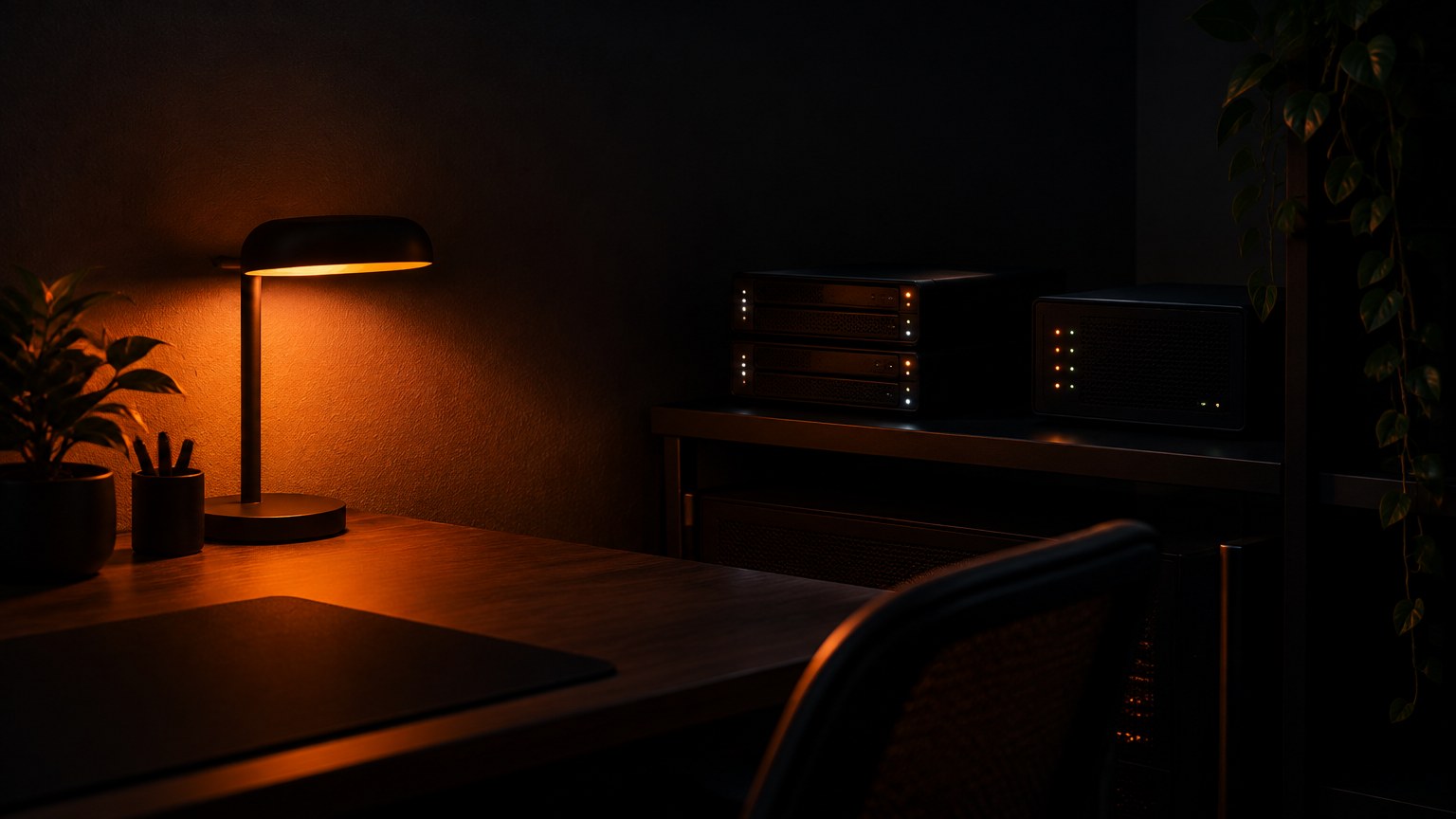
The owner’s next request is a physical alarm. The NAS dashboard already has a Knight Rider scanner sweeping across its tiles. The plan is to echo it in the room: when an alert fires, a smart light in the workspace corner slowly fades in and out, amber for a warning and red for an error. Alertmanager would post firing alerts to a Home Assistant webhook, an automation would pick a pulsing light effect by severity, and the resolved notification would stop the effect and restore the light’s previous state. The receiver and the lights are not chosen yet.
Glossary
- Proxmox: open-source software that runs VMs and containers across several computers as one cluster.
- LXC: Linux containers, isolated systems sharing the host’s kernel.
- Quorum: the majority vote a cluster needs before it acts.
- ZFS replication: sending a disk’s changes to another machine on a schedule.
- Runbook: a step-by-step procedure with checks, stop rules and a rollback.
The same method, applied to client infrastructure
The agent sweeps first and changes nothing: what runs, where, what refers to what. It writes the plan, the runbooks and the scripts, with secrets moved sealed and every rollback written before the cutover. A human approves anything that costs money, causes downtime or cannot be undone, and can reverse any call. Names replace addresses before anything moves. Monitoring and self-healing are part of the job, not an afterthought. That is how D3X Solutions LABS runs infrastructure work for clients, from server migrations to agent fleets, and why each job leaves reusable runbooks behind, as argued in software systems that compound.
Planning a move off a creaking server, or want agents running your infrastructure with a human in the loop? Talk to D3X Solutions LABS.
FAQ
What is a home lab, and does a small business need one?
A home lab is a few computers you own and run for testing, learning and real internal services. You do not need one to start, but if you run IT for others, it lets you test migrations, backups and AI tools on your own data first.
Why LXC containers instead of VMs on Proxmox?
Our 16 containers used 4.3 GB on the old server. LXC memory is a ceiling rather than a reservation, so everything fits in 2 × 32 GB with room to fail over.
Can a two-node Proxmox cluster fail over safely?
Yes, with a third vote. A tiny quorum device breaks ties, ZFS replication keeps each guest’s copy on the other node, and Proxmox restarts it there. Our 2 to 4 minute target is not yet proven by a drill.
What does the DGX Spark do in the lab?
It runs local chat and vision models behind one gateway that the agents and the camera recorder call, and the photo library’s machine learning runs there too.
Why insist on DNS names instead of IP addresses?
Addresses move; names do not. With names, a re-addressed machine needs one DNS change, not a hunt through every config file.
How much did the AI agents do, and how much the human?
The agents swept, planned, scripted, ran cutovers and built the monitoring. The human decided, approved risky steps, did the physical work and reversed calls when needed.
Want this working in your business?
D3X Solutions LABS builds AI agents and automation that pay back fast. Set up a free 30-minute call and we will map your first win together.
Get in touch







