
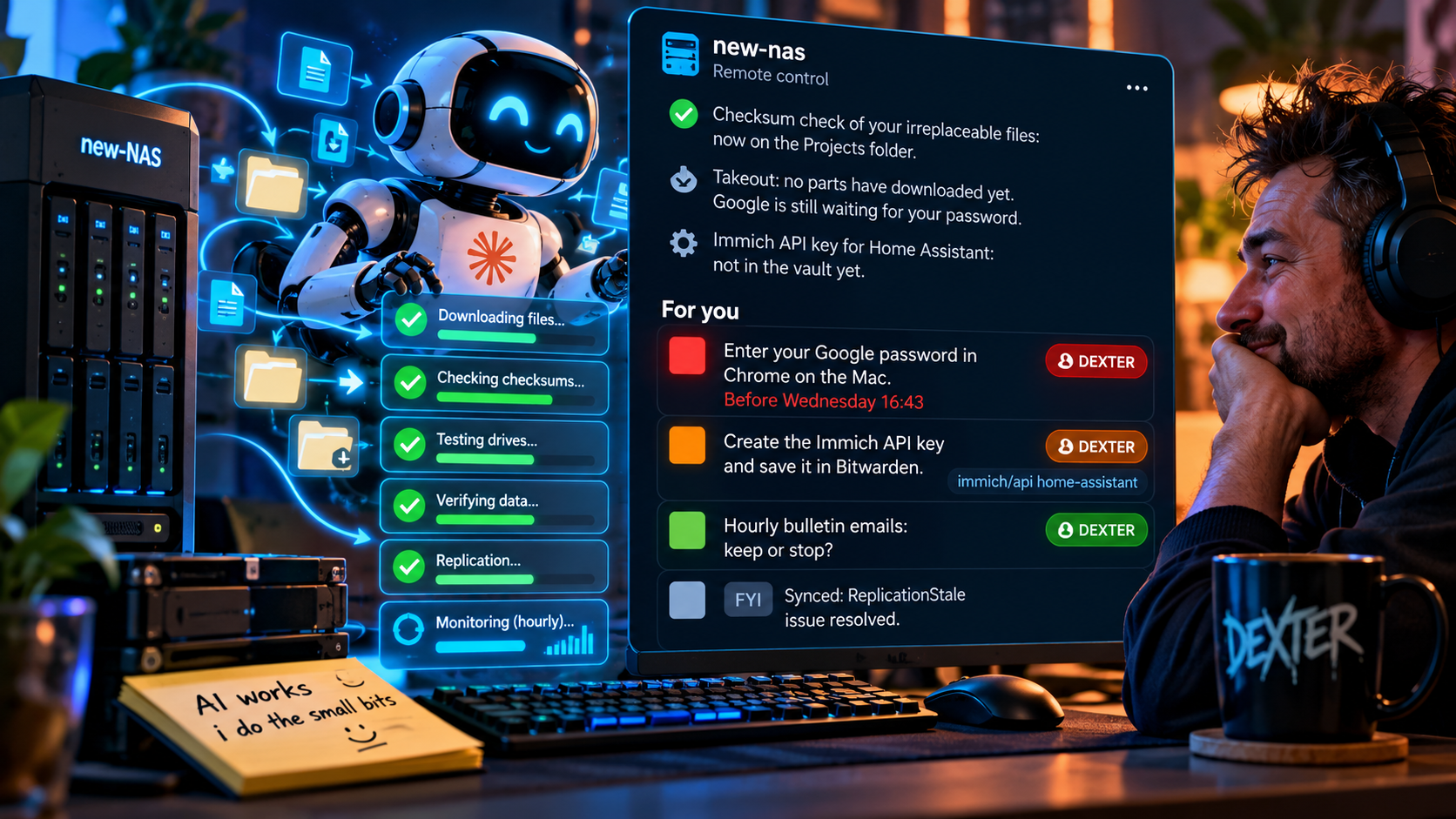
When you run an AI agent from your phone, the agent is rarely the slow part. You are. It finishes a step, needs a password, a decision or a click, and says so in the middle of a long reply. On a small screen that sentence is easy to miss, so the agent waits while you assume it is still busy.
The fix we use is small: every line that needs a human starts with a coloured square that says how urgent it is, and every reply ends with a list of what is still open. This tutorial shows how to set it up for any agent you can give standing instructions to.
The problem: asks buried in prose
Agents write like colleagues. They report what they did, what they found, what is next, and somewhere in there is the one thing they need from you:
Tests pass and the changes are deployed. The import ran for 38 of 40 items; two were skipped because the source was empty. To finish the sync I need the API key for the photo server saved in the password manager. After that I’ll re-run the import and send a summary.
On a laptop you would spot “I need the API key”. On a phone, between other things, you read the first line, see “tests pass”, and move on. The ask sits there for hours.
The cost is not the minute it takes to do the task. It is the time between “the agent needs a human” and “the human knows it”.
The four squares
Give every human-facing line one of four tags. The colour carries the urgency, so you can triage before you read a word.
- 🟥 Red: blocking. The agent cannot do anything else until you act.
- 🟧 Orange: blocking something important. Other work carries on, but a key piece waits on you.
- 🟩 Green: yours, not blocking. A decision or task that matters, but nothing waits on it.
- ⬜ White: FYI. Worth knowing, nothing to do.
Four levels is enough. With fewer, “blocks everything” and “blocks one thing” collapse together, and those deserve different reactions. With more, you start reading labels instead of glancing at colours.
Emoji squares work everywhere: terminal, chat apps, email, Markdown, PDFs. You need no extra formatting or app support.
Rule 1: one task per line, with the exact path
A tag on a vague sentence doesn’t help much. Each tagged line should hold one task and say exactly how to do it: the command to run, or the click path through the interface.
Before: “You’ll need to approve the pending items at some point.”
After: 🟧 [YOU] Admin → Content → Pending → tap Approve on the 3 items.
The second version can be done from the lock screen without opening anything else to work out what was meant. If a task has two steps that depend on each other, it can share a line. If they are independent, split them so each can be ticked off on its own.
Rule 2: end with a “For you” list
Every reply, however long, ends with a short For you list that repeats the open items, most urgent first:
For you
🟥 Enter your account password in the browser on the desktop.
🟧 Create the photo-server API key and save it in the password manager.
🟩 Hourly status emails: keep or stop?
It sits where your thumb ends up, at the bottom of the reply. If it is empty, the agent is unblocked and you can read the rest later, or not at all.
Repeating items is deliberate. The tagged line in the body gives the context; the list at the end is the checklist. If an item is still open in the next reply, it appears again until it is done or dropped.
Rule 3: make questions answerable in one word
Decisions are tasks too. Phrase them so that “yes”, “no” or a single option name is a full answer:
🟩 [YOU] Raise the article length limit from 800 to 900 words? Yes or no.
Not “let me know what you think about the length limit”. An open question forces you to compose a reply on a phone keyboard. A closed one takes a second.
Setting it up
Put the rule in the agent’s standing instructions: the system prompt, a project instructions file such as CLAUDE.md or AGENTS.md, or whatever your tool loads at the start of every session. Something like this is enough:
## Action tags (always)
Every line that needs the user starts with a coloured tag.
One task per line, with the exact command or click path.
Repeat the open ones in a short "For you" list at the end
of every message, email and document.
- 🟥 [YOU] blocking: nothing else can continue until done
- 🟧 [YOU] blocks something important; other work continues
- 🟩 [YOU] needs doing, blocks nothing
- ⬜ [FYI] important information, nothing to do
Questions must be answerable with one word or one option.
Put your own name in the tag instead of [YOU] if several people read the same output. Then a tag means “this one is mine”, not “someone should”.
Apply the rule to every channel the agent writes in, not just chat. Emails the agent drafts for you, reports, handover documents and status bulletins all get the same tags and the same closing list. The pattern only stays useful if it is everywhere.
What changes
Scrolling turns into scanning. You look for red first. If there is none, nothing is stuck on you. Most replies can be triaged in a glance.
The agent has to know its own state. To choose between red and green, it must work out what is blocked on what. That pressure makes the whole reply clearer, not just the tagged lines.
Nothing is lost between replies. Because open items repeat until they are closed, an ask from three messages ago can’t scroll out of sight.
The phone becomes a real control surface. One-word answers and exact click paths mean most asks can be handled from wherever you are, without waiting until you are back at a desk.
Pitfalls
- Everything turns red. If every item is “blocking”, the colour stops meaning anything. Red should be rare: true stops only.
- FYI overload. White squares are for things that change your picture of the system, not a log of everything the agent did.
- Tasks without paths. “Check the settings” with a red square is still a riddle. Insist on the exact place to click or command to run.
- Secrets in the open. A task like “save the API key” should point to where it goes, never include the key itself.
Start small
You don’t need new tooling. Add the instruction block above to your agent’s standing instructions, run a day of normal work, and see how often you can answer from the lock screen. Four squares, one task per line, a list at the end. It costs nothing and it changes who waits for whom.
Want this working in your business?
D3X Solutions LABS builds AI agents and automation that pay back fast. Set up a free 30-minute call and we will map your first win together.
Get in touch







