
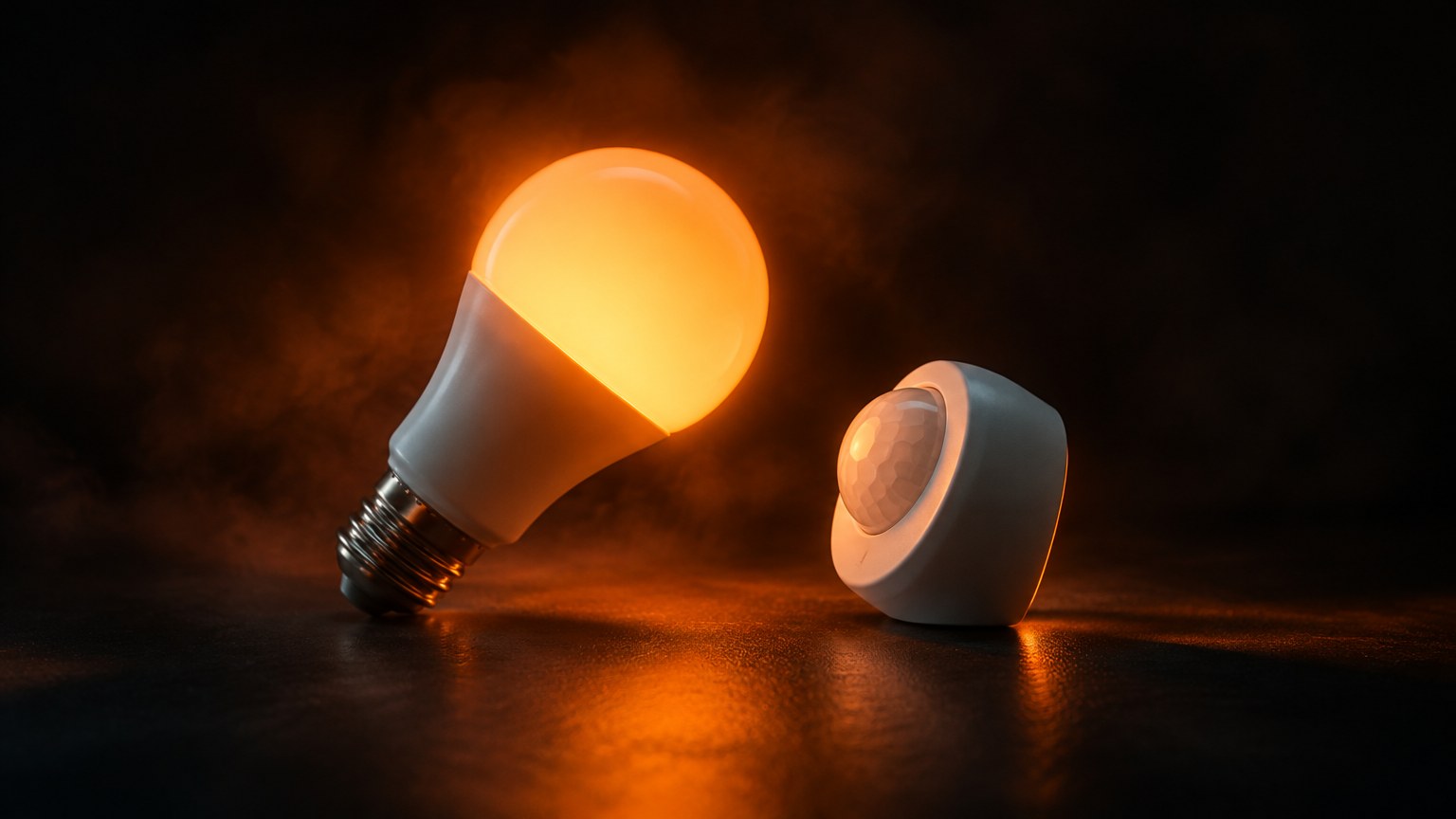
Our house has opinions. The corridor lights decide how bright you deserve to be. The television asks if you are still watching, like a disappointed streaming service. A cube on the coffee table has more jobs than most interns. Each is a Home Assistant automation, written by Claude Code and approved, tested and occasionally vetoed by the human who lives there.
Here is the tour: what each one does, how it works, and which ones went spectacularly wrong. Nerdy bits get a plain-English note, and every name has been changed to protect the mildly embarrassed.
Meet the household
Barnaby built the system and has final say. He walk-tests sensors and says “actually fine, I love it” about fades he doubted an hour earlier. Ottoline keeps different hours from Barnaby and has firm views on lights switching on while she sleeps. Prudence is the third resident and mostly wants the television to behave. Mr Pickles is the cat. He is recorded, never alerted on, and responsible for at least one unexplained light. The agent is Claude Code.
How an automation is put together
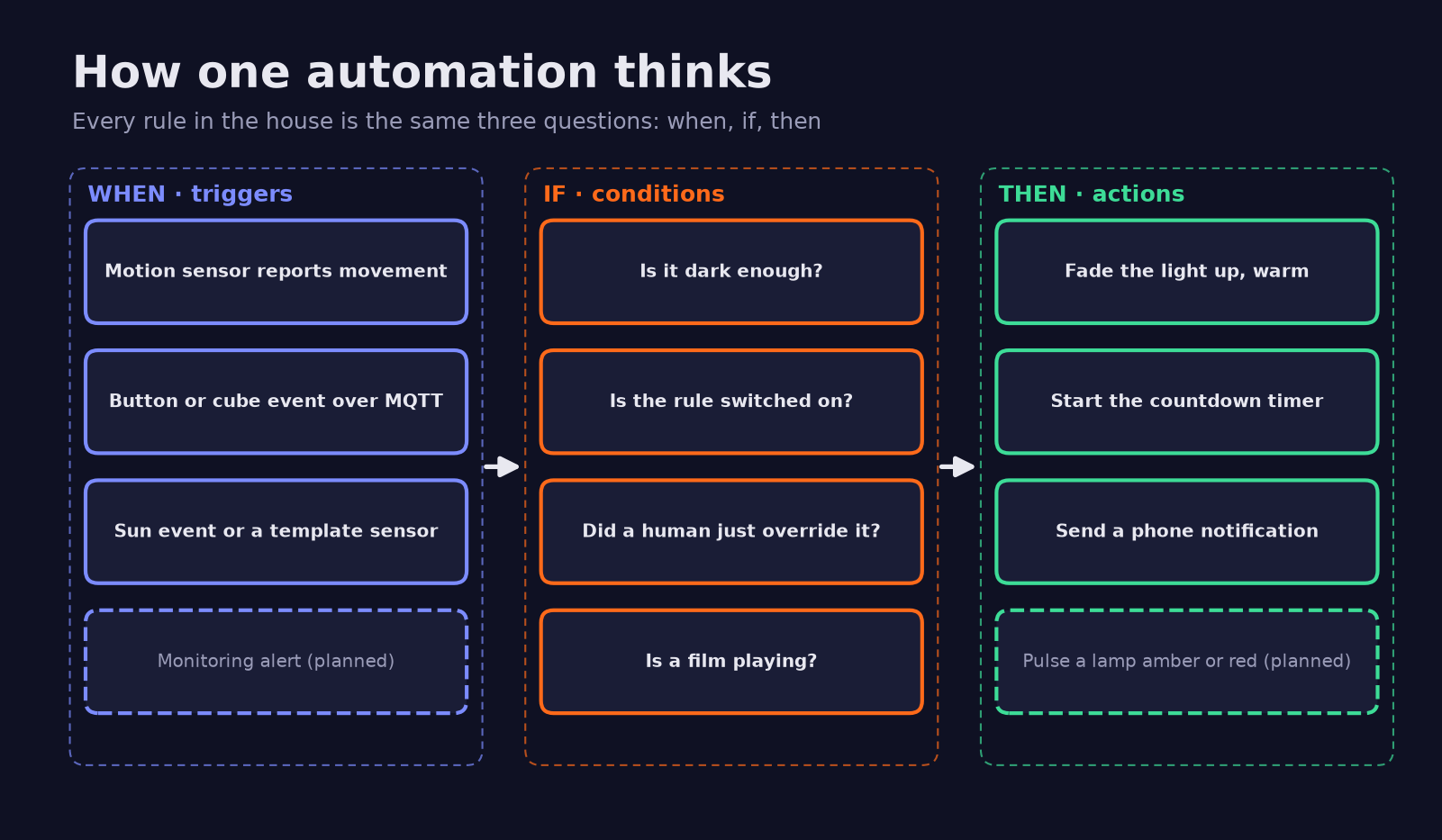
Every automation here is the same three-part sentence: when something happens (the trigger), if some things are true (conditions), then do this (actions). Triggers are state changes, Zigbee events over MQTT or sun events. Conditions check darkness or recent human overrides. Actions call services: a light with a 2-second transition, a thermostat preset, a spoken message.
Claude Code writes them as YAML packages, one file per topic holding the automations, helpers and scripts that belong together. Nearly every automation has a kill switch, an input_boolean helper exposed to the voice assistant, so anyone can say “turn off the motion sensor” and that behaviour pauses. Shared logic lives in YAML anchors, so each room is a few lines of settings.
Lighting: the department of being seen
Motion lights that know it is dark
Walk in after dark, lights on; stop moving, lights off. Simple, said nobody who has built one. The shared template takes sensors, a darkness rule (sun down, or under 30 minutes to sunset), a level and a hold time. Behind that:
- The countdown starts when the sensor reports clear, not when it first sees you, so continuous movement keeps the light on.
- Rooms with two sensors only count down when both are clear. Rooms with a radar use a PIR sensor to switch on and the radar only to hold, because radar is very good at noticing someone sitting still and very bad at telling a sleeping person from an empty bed.
- A
light_backtrigger fires when a bulb returns from unavailable (someone used the wall switch), and switches it on if a sensor still sees movement. resumetriggers on Home Assistant start and on automation reload recompute the time left, so a restart can never strand a light on.
When Ottoline dims the lights by hand, a detector spots a person-initiated change (a user ID on the context, no parent automation) and stores it in a trigger-based template sensor; motion then uses her level until sunrise. Switch a light off by hand and a similar held off flag stops motion re-lighting it until morning.
Adaptive Lighting: the house follows the sun
Claude Code first hand-built the evening curves, but Barnaby’s rule is “always use a maintained HACS add-on over hand-built logic”, so the curves were replaced by the Adaptive Lighting integration. Separate instances have their own minimum brightness, because one bulb brand is noticeably brighter than the other at the same percentage. Motion lights call adaptive_lighting.apply rather than a bare turn-on, so they arrive at the right level with a 2-second fade.
Studio vibes
The studio room has eight animated light shows with names like Ember, Neon Noir, Deep Ocean and Red Rave. A script engine drives every bulb individually: a travelling accent light circles the chandelier, a ping-pong wave runs along one wall, and ceiling lamps sweep police red to blue. A double-press on a desk switch picks the next vibe; a helper flag tells the motion automation to leave a running vibe alone. Red Rave went through four speed revisions before Barnaby said “exactly what I meant”, and its 1.7-second full-colour morph is now the reference feel for every future effect.

Controllers: the cube has a lot of jobs
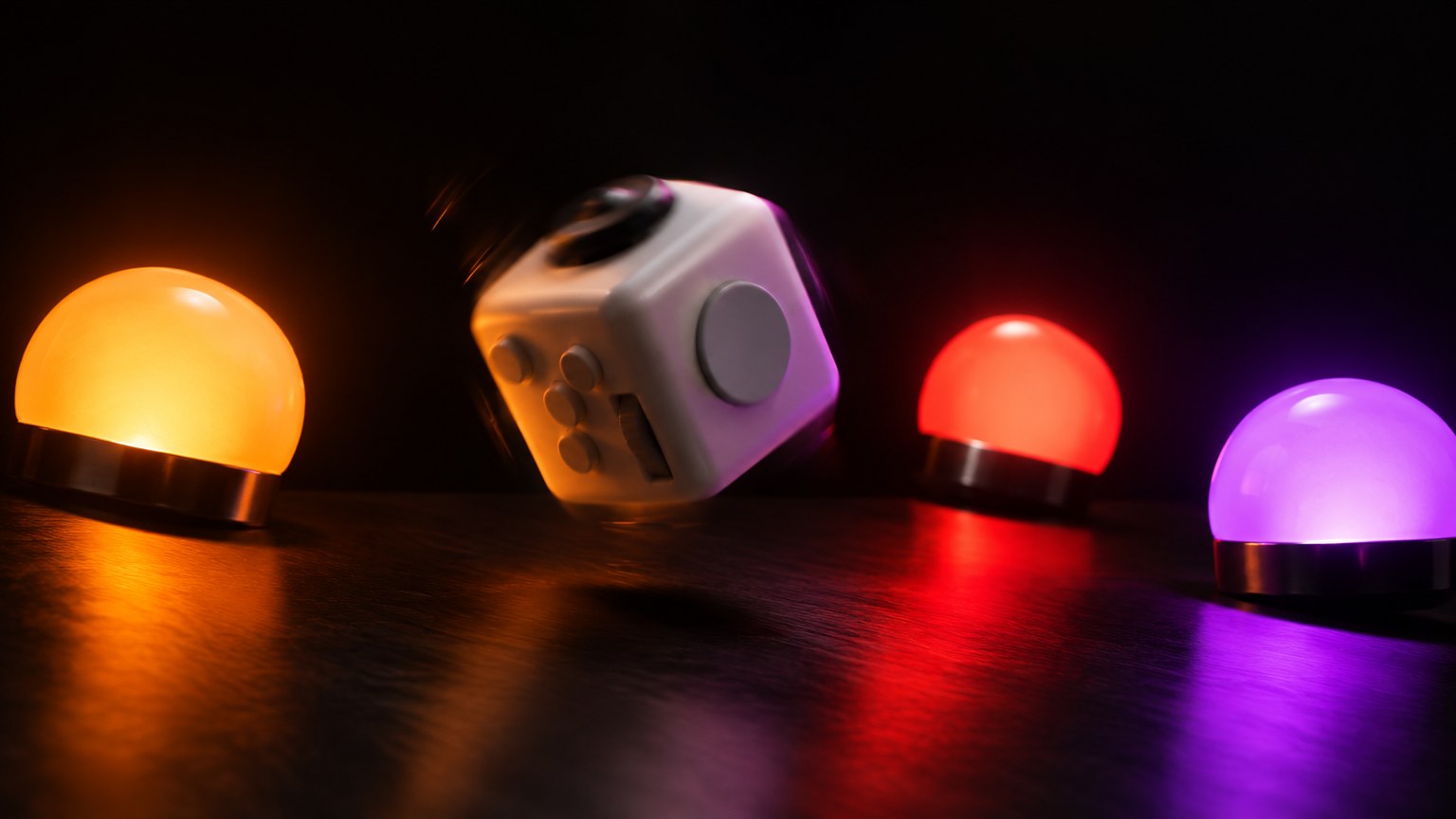
Aqara Magic Cubes and six-button switches send events over Zigbee2MQTT, and Home Assistant listens to the MQTT action topics directly. One cube’s gesture map:
| Gesture | What happens |
|---|---|
| Rotate | Volume if the speaker is playing, otherwise brightness |
| Tap | Light on or off |
| Flip 90° | Cycle scenes: evening, bright, movie |
| Shake | Play or pause |
| Slide | Next track |
| Flip 180° (one of the cubes) | Wind-down: light fades off, music pauses, a voice confirms |
Rotation steps are capped, so one enthusiastic twist cannot jump from candlelight to stadium. Six-button wall switches do tap, double-tap and hold, with hold ramping volume in small steps.
Climate and air
A room heater sits on an energy-monitoring plug, driven by the Versatile Thermostat HACS integration: a time-proportional controller that switches the plug in cycles, an open-window detector that cuts heating if the temperature falls fast, and a safety mode if the sensor goes silent. A schedule automation moves between comfort (20 °C) and eco (18 °C, because sleep research likes it cooler). Any manual change by a person sets an override flag that wins until the next scheduled step.
In the studio room, an air purifier runs on autopilot: fine dust (PM2.5) above 25 for five minutes switches it to auto, below 10 for twenty minutes switches it off if the autopilot started it, and it rechecks every 15 minutes. A human switching it off pauses the autopilot for two hours.
Media and music
- Movie mode. The TV switching on after dark fades the light to 15 % warm and pauses motion lighting. When the TV goes off, from any state, lighting returns to normal.
- “Still watching?” Late in the evening, if nobody has moved for 45 minutes, the TV shows that exact question as a toast. No wave within two minutes and the TV switches off. Prudence calls it rude. It is correct.
- No more “No Signal”. If the TV wakes onto an empty HDMI input, an automation presses the Home button for it.
- Wake-up music and sunrise. At an hour no human should be awake, a bulb runs a slow sunrise from 1 % warm to full white while a speaker fades a playlist up from almost silent. If Barnaby does not stir, the bulb eventually blinks red, which is less an alarm than a threat.
Music Assistant syncs two speakers and the studio room monitors into one stream. Barnaby’s review: “dreaming about this my whole life”.
Notifications: the house that pings
- Low batteries. The Battery Notes add-on knows each sensor’s cell type, and an automation pushes a phone alert at its threshold.
- Wall switch off. If every bulb behind one switch has been unavailable for 10 minutes, a push goes out and a speaker announces which switch it was, within polite hours.
- Parcels. A mail integration reads delivery emails; an automation pushes “out for delivery” and “delivered” and speaks a shortened item name via a Jinja macro.
- Homelab alerts. The monitoring stack posts to a local-only webhook; each alert becomes a notification, critical ones push to a phone, and resolved ones dismiss themselves.
Energy: the cost of everything
Energy-monitoring plugs report watts; Riemann-sum integration helpers turn watts into kWh; template sensors multiply by the unit price helper (about €0.32 per kWh from the real bill) for cost today, this month and per hour. A power guard automation turns the always-on plugs straight back on if anyone switches them off, or if they reconnect off after a power cut, and pings Barnaby only for a real on-to-off.
AI-assisted automations
Voice. A local pipeline does speech-to-text and text-to-speech, with simple commands handled locally and only real questions sent to a small cloud LLM, at about $2 a month. One agent kept answering English questions in Polish, read aloud by the English voice, so there are now two agents, one per language. Weekly health report. A collector gathers logs, battery trends and energy, and headless Claude Code writes the report under two rules: “Don’t invent data” and “No secrets”. Upgrade reviews. After each upgrade, Claude reads the release notes and suggests concrete changes to our automations. Morning briefing. An AI-written audio briefing with two hosts plays on a speaker in the morning.
Planned: a lamp that breathes when the lab is sick
Not built yet. The plan, from the home lab overview, connects the monitoring dashboard’s alert state to a sensor. When something critical fires, the studio room lights do a short red and amber Knight Rider sweep, then one lamp settles into a slow breathing pulse until the alert is acknowledged or resolves. Barnaby is designing it himself, the correct amount of control for anything that flashes red.
Security automations
They exist. We are not telling you how they work, obviously. This is a real house, and “here is exactly how our security works” is not content.
Automations that went wrong
Comedy gold, lightly sanitised.
- “Hey Google, turn off all the lights.” Google sees helper toggles as switches, so “all the lights” also switched off every motion-light kill switch and an alarm toggle, twice in a row. Now, if three or more guarded toggles go off within about five seconds, they come back on and Barnaby gets one ping; a single deliberate off still works.
- The 4-millisecond check. A motion light checked the bulb state 4 ms after turning it on, before the bulb had reported back, decided nothing happened and never started the countdown. It now waits up to 10 seconds for “on”.
- Lights off mid-walk. The countdown started when movement began, so anyone pacing a corridor for three minutes got plunged into darkness. It now starts on “clear”.
- Sleep mode that never slept. An automation targeted a switch name that did not exist, so the night lights never entered sleep mode. The weekly-report work caught it.
- Reloads killed timers. Claude reloaded automations during an unrelated fix, which cancelled a running countdown and stranded a light on. Every motion automation now resumes after reloads and restarts.
- The heater that thought Claude was a person. Setup calls made with the agent’s own token counted as a manual change, set the override flag, and the heater skipped its scheduled start. Restarts now clear leftover overrides.
- Two schedules, one purifier. The manufacturer app’s own timer switched the purifier off; Home Assistant read that as a human and paused the autopilot while the dust stayed high. The app schedules were deleted. “HA in charge,” said Barnaby.
- The ghost in the machine. A radar lost its “clear” message on a weak Zigbee link and reported someone present for hours. A watchdog now re-reads any radar stuck on “occupied”. Another night a light came on with nobody around. Mr Pickles declined to comment.
- The double-click button. One button sends every press twice, a millisecond apart, so the second press undid the first. Repeats within half a second are now ignored.
- Upside-down switch. A wall switch with one broken button was mounted upside down so the working button sits where it is needed, and the whole button map was rotated 180 degrees in YAML to match.
- Volume 0.2. Speaker announcements take 0 to 100, not 0 to 1. An announcement played at 0.2 %, which is technically a whisper to nobody.
How Claude Code wrote and tested them
The loop was the same every time. Barnaby described the behaviour in a sentence. Claude Code proposed the design, wrote the package, backed up the file it was about to change, ran Home Assistant’s config check, and reloaded only the automations. Then it tested with simulated sensor states, sped-up ramps and automation traces. Barnaby did the physical half, walk-testing sensors, pressing buttons to confirm numbering, and deciding how bright “bright” is. Every change got a dated timeline entry, and the household manual was regenerated so everyone knows what the house will do. When Claude Code’s safety classifier refused a change that would have weakened security, the change went back to Barnaby to apply himself or approve explicitly.
The automations at a glance
| Automation | Trigger | What it does |
|---|---|---|
| Motion lights | Motion or radar, after dark | Light on at the right level; off after a hold once clear |
| Manual hold | A person changes brightness | Keeps your level until sunrise |
| Adaptive Lighting | Sun position | Warmer and dimmer through the evening |
| Studio vibes | Desk switch double-press or voice | Animated light shows |
| Grow light (retired) | Sunset and sunrise | Plant light on overnight |
| Cubes and switches | Zigbee action over MQTT | Lights, scenes, volume, tracks |
| Heater schedule | Schedule steps, manual change | Comfort or eco preset, override wins |
| Purifier autopilot | PM2.5 thresholds | Auto on when dusty, off when clean |
| Movie mode | TV on after dark | Soft light, motion paused |
| Still watching? | No movement for 45 minutes late | Asks, then switches TV off |
| Wake-up | Morning | Sunrise light and music fade-in |
| Wall switch alert | Bulbs unavailable 10 minutes | Push and spoken warning |
| Google all-off guard | 3+ toggles off within seconds | Restores them, one ping |
| Parcels | Delivery email status | Push and spoken item name |
| Power guard | Always-on plug goes off | Switches it back on |
| Homelab alerts | Monitoring webhook | Notification, push if critical |
| Breathing alert lamp (planned) | Critical lab alert | Sweep, then slow pulse |
Glossary
- Trigger, condition, action: when, if, then. The grammar of every automation.
- Helper: a toggle, number, list or timer Home Assistant stores for automations to read and write.
- Package: a YAML file that groups related automations, helpers and scripts.
- Template: a small Jinja expression that calculates a value, such as “is it dark?”.
- Zigbee2MQTT: the bridge that turns Zigbee radio messages into MQTT messages Home Assistant can read.
- MQTT: a lightweight publish-and-subscribe message bus.
- HACS: the community store for Home Assistant add-ons such as Adaptive Lighting.
- Trace: Home Assistant’s step-by-step record of one automation run.
The same method, applied to client automation
The agent writes the change, backs up what it touches, validates before reloading and logs every step. A human approves behaviour changes, tests them for real and keeps the final say. That is how we build automation at D3X Solutions LABS, whether it runs a hallway or a business process: small rules with off switches, written method statements, verification before go-live, and a log that explains every decision afterwards.
Got a process that should run itself but keeps needing a human to poke it? Talk to D3X Solutions LABS about automating it with an agent and a human in the loop.
FAQ
I am new to Home Assistant. Where should I start with automations?
Start with one motion light: a sensor, a darkness condition and a timed off. Add a kill switch helper so anyone can pause it. Once that behaves for a week, copy the pattern to other rooms.
Why use YAML packages instead of the visual automation editor?
Packages keep related automations, helpers and scripts in one file, which suits version control, backups and an AI agent editing them. The visual editor is fine for single automations.
How do you stop "turn off all the lights" from switching off automation toggles?
Name helpers so they do not sound like lights, and add a guard that restores several toggles switched off within seconds. Setting their device type to switch in the voice app also helps.
Why does the motion-light countdown start when the sensor clears?
Many PIR sensors stay "occupied" during continuous movement and send no new event. Counting from the first detection switches lights off on someone still walking.
Did Claude Code have full control of the house?
No. It wrote and tested automations through the Home Assistant API, but a human approved behaviour changes, did every physical test, and handled anything security-related.
What does the AI do day to day?
It answers voice questions the local rules cannot, writes a weekly health report from collected data, and reviews release notes after upgrades. Lights and heating run on plain, predictable rules.
Want this working in your business?
D3X Solutions LABS builds AI agents and automation that pay back fast. Set up a free 30-minute call and we will map your first win together.
Get in touch







