
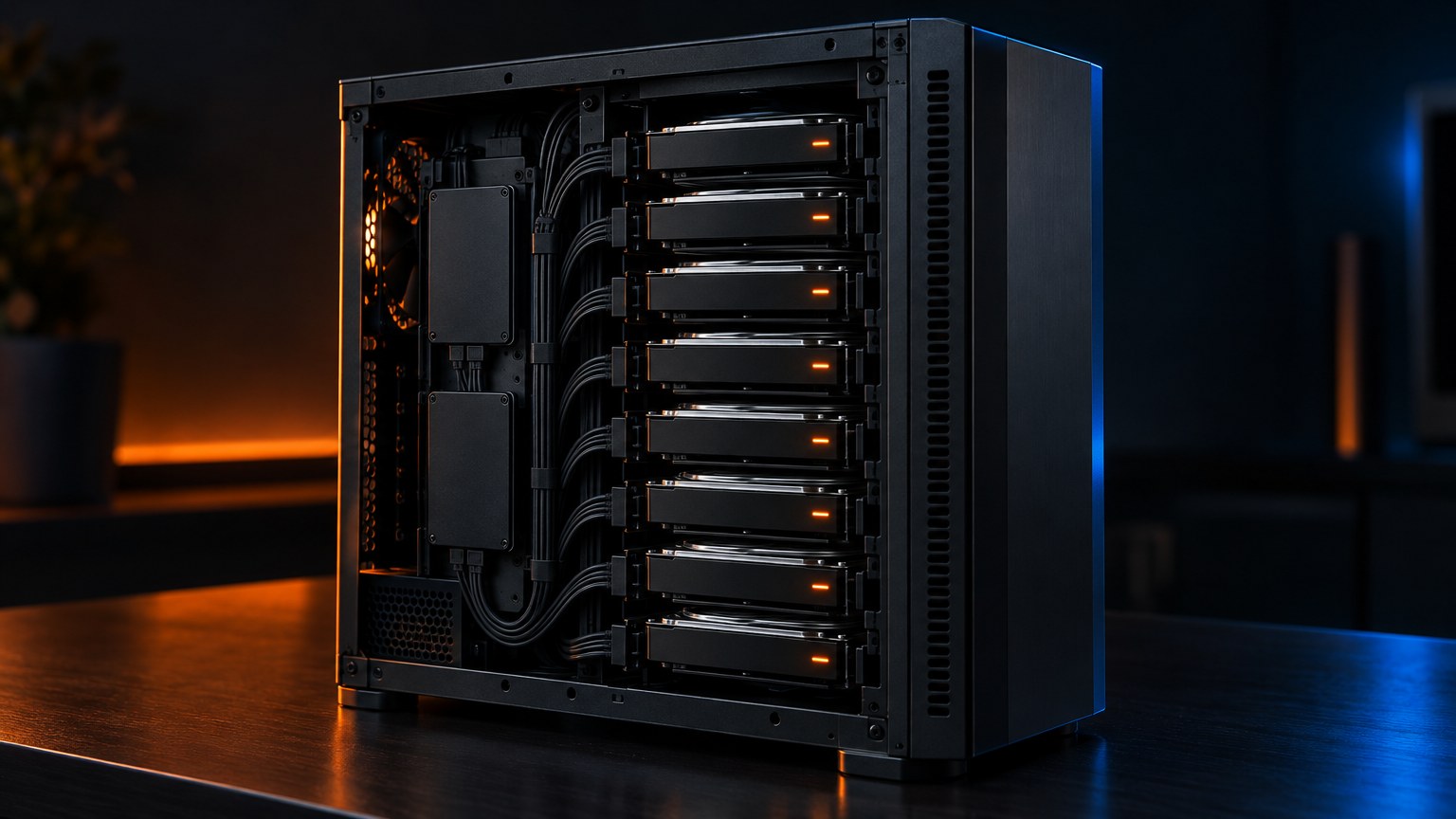
Our old NAS did not die quietly. It threw a parity write failure in the middle of a bulk copy, took every file share offline for 13 minutes and left one drive logging read latencies of 152 seconds. So we built its replacement: an Unraid server in a Fractal Design Node 804, mostly from drives already on the shelf, planned, tested and migrated by a Claude Code agent while a human did the lifting and made the calls.
This is the field log, technical detail included, with a plain-English note after each nerdy bit. The headline 56 TB of protected storage is the plan; today a 20 TB array holds every byte of the old NAS, copied and verified.
Why the old NAS had to go
The old box was a Windows machine on an Intel Atom with four 4 TB Seagate drives in a Storage Spaces parity pool, 100% full. During a sustained offload from our GPU workstation, the parity virtual disk failed a write “to all its copies”. Windows logged event 312, NTFS event 140 and five “Delayed Write Failed” warnings, then set the volume offline and read-only. The shares were down for about 13 minutes.
The agent brought it back read-write remotely, then pulled per-disk reliability counters. One drive had 61,056 read errors (57,152 five days earlier), a maximum read latency of 152,322 ms and a maximum write latency of 74,251 ms; the other three stayed at 3 seconds or less. A spare 4 TB replaced it. Tested later in a dock, the culprit showed 16,352 reallocated sectors, 22,344 pending and 5,058 uncorrectable, aborted its preclear at 48% with 6,020 I/O errors, then stopped answering. Bin.
Before planning anything, we measured: the data share held 7.6 TiB, not the 9.9 TiB in our notes. That figure was the whole Windows pool.
How the work was split between agent and human
The agent worked over SSH. It wrote the plans (eight revisions in ten days), the drive-check, copy and verification scripts, the Unraid configuration, the photo stack and the dashboard. Every runbook had a stop rule (on any failure, stop, record the state, report) and a state file, so an unattended run could resume without repeating a step. One even refused to reboot while a USB dock was attached, checked by device ID.
The human did everything physical and everything with consequences: plugging in drives, swapping RAM, approving purchases (“find and compare options only, buy nothing without the owner’s OK”), deciding which drives could be wiped. The repo records these as the owner’s calls, and the agent never quietly overrode one. More than 20 email bulletins went out in under two days. Parallel agent sessions handed work to each other, including one for the Home Assistant smart home that asked the NAS session for a read-only API key. Our write-up on human-in-the-loop action tags covers the convention we now use for those asks.
Drive triage: burn-in, SMART and the returns pile
Owned drives are free capacity only if you can trust them. The check script ran SMART self-tests on every drive in parallel and printed a verdict per drive from these attributes:
| SMART ID | Attribute | What it counts | Rule |
|---|---|---|---|
| 5 | Reallocated sectors | Bad sectors swapped for spares | Non-zero: not for the array |
| 197 | Current pending | Sectors that failed a read, awaiting remap | Non-zero: fail |
| 198 | Offline uncorrectable | Sectors the drive’s own scan could not read | Non-zero: fail |
| 199 | UDMA CRC errors | Corruption on the cable | Swap the cable, retest |
| 9 | Power-on hours | Total hours spinning | Context, not a verdict |
A pass needed 5, 197 and 198 at zero and a clean self-test. The Crucial BX500 SSD showed 156 CRC errors and 588 SATA link downshifts but no media errors: a bad cable, not a bad SSD.
Preclear and the 4 TB results
Survivors went through preclear: a full read of every sector, zeros written across the whole disk, then a second full read to prove the zeros came back. One drive at a time, two cycles for suspects. The results were humbling:
- Two HGST Ultrastar HC510 10 TB drives: clean. These became the array.
- A 2015 WD Purple had one pending sector. Its pre-read came back clean once the write had dealt with the weak spot, then the post-read failed at 26 GB. Scratch at best.
- Other Purples: 322 reallocated and degrading; 504 with 23 pending (now a parts donor); 1,791 reallocated and a failed SMART; and one that will not even identify itself on the controller.
- A Seagate SkyHawk at 29,160 hours and 40 stable reallocated sectors was the best 4 TB, so it replaced the dying drive in the old NAS.
- A used Exos X16 16 TB bought as parity: dead on arrival, beeping. Returned, €303.05 refund requested.
The 7-second rule: SCT ERC
SCT Error Recovery Control (WD calls it TLER) is set to 7 seconds for reads and writes at every boot, from a startup script, and the drive report shows it per drive. Without it, a drive hitting a bad sector can retry internally for minutes. The controller sees a disk that stopped talking, resets the link, and Unraid may disable the disk, leaving the array unprotected. With a 7-second limit the drive reports a read error instead, and Unraid can rebuild that sector from parity and write it back.
The 18 TB replacements
Instead of the dead Exos: three used WD Ultrastar DC HC550 18 TB drives (SATA, CMR, 7200 rpm, helium-filled), built April 2021, €635 delivered, about €11.80 per TB. The seller’s SMART screenshots show 25,241 to 25,678 power-on hours, 20 to 28 power cycles, zero reallocated, pending, uncorrectable and CRC errors, and a helium reading of 100. They are in transit. On arrival: our own SMART read against those screenshots, then a full preclear.
The design: why Unraid, single parity and three pools
Plans one to three were ZFS on Proxmox. Then the brief sharpened: maximum space from owned drives, one-disk redundancy, new parts under €300, data mostly cold. With the drive set at the time, the agent’s comparison gave ZFS raidz1 plus a mirror about 38 TiB, raidz2 about 34 TiB, and Unraid with one parity disk 38 to 42 TiB. Unraid also fails more gently: every data disk is a plain XFS disk readable on its own, so losing two loses only their files, where a raidz1 vdev in the same spot (about 29 TiB in that layout) is gone entirely. The price: no array checksums and single-disk write speed.
Parity maths
Single parity is XOR: for each bit position, the parity disk stores the value that makes the count of ones across all disks even. When a disk dies, Unraid reads every survivor end to end and recomputes the missing bits. A smaller disk counts as zeros past its end, which is why parity must be at least as large as the largest data disk. It also means a precleared, all-zero disk can join the array without a parity rebuild.
Each write is a read-modify-write (read old data and parity, write new data and parity), which pins writes to roughly one disk’s speed, about 150 to 200 MB/s by the agent’s estimate. Dual parity on the two 10 TB drives was considered, but it would have capped data disks at 10 TB for good. The plan adds per-disk spin-down and a monthly parity check.
Capacity maths
The proposed final layout is not in the repo yet. The last committed plan targeted 44 TB. With three 18 TB drives:
| Pool | Drives | Raw | Usable | Protection cost |
|---|---|---|---|---|
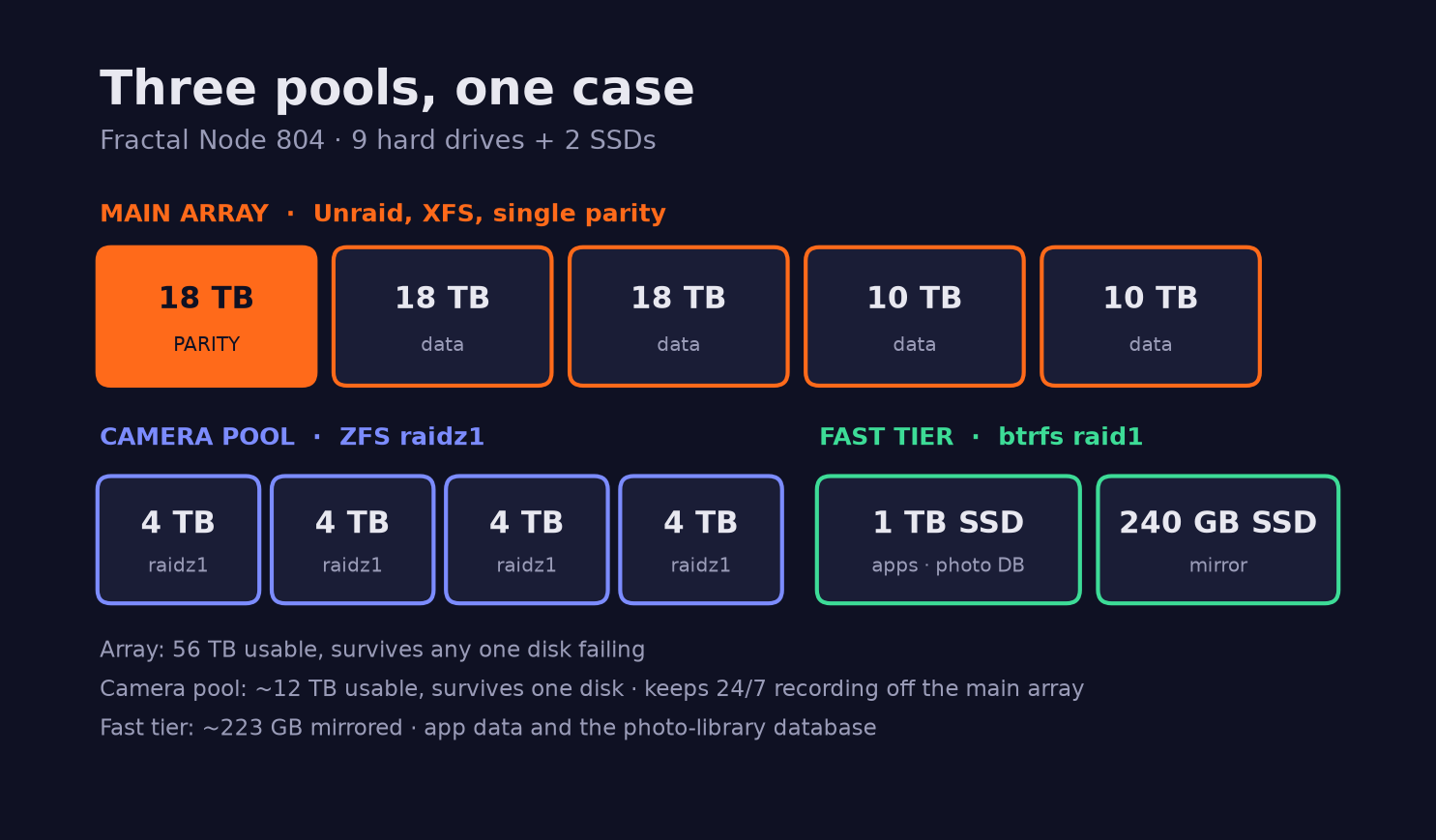
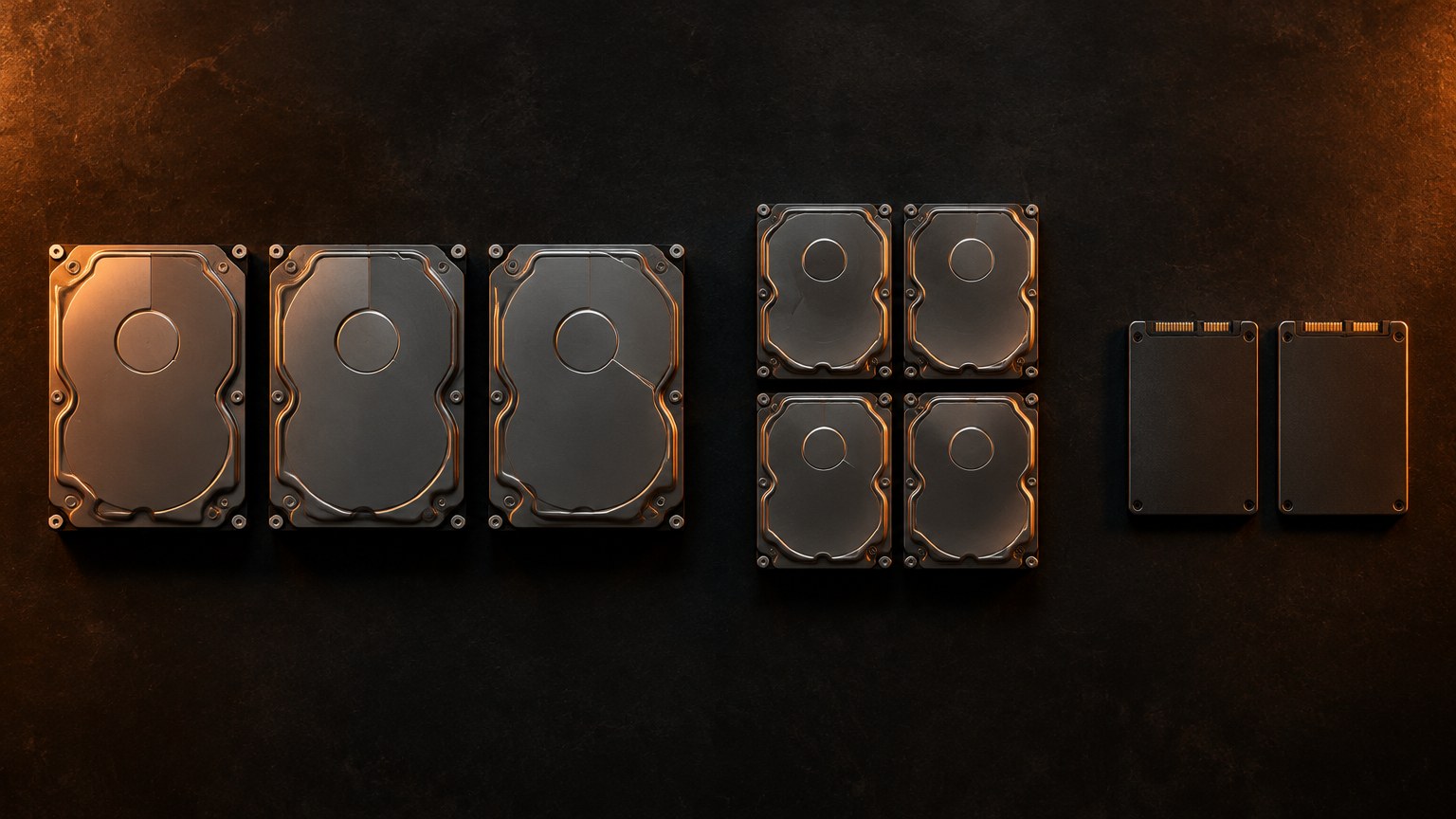
| Unraid array, single parity | 3 × 18 TB + 2 × 10 TB | 74 TB | 56 TB (about 50.9 TiB) | 18 TB |
| Camera pool, ZFS raidz1 | 4 × 4 TB | 16 TB | 12 TB (about 10.9 TiB) | 4 TB |
| Fast tier, btrfs RAID1 | 1 TB + 240 GB SSD | 1.24 TB | about 223 GB | full mirror |
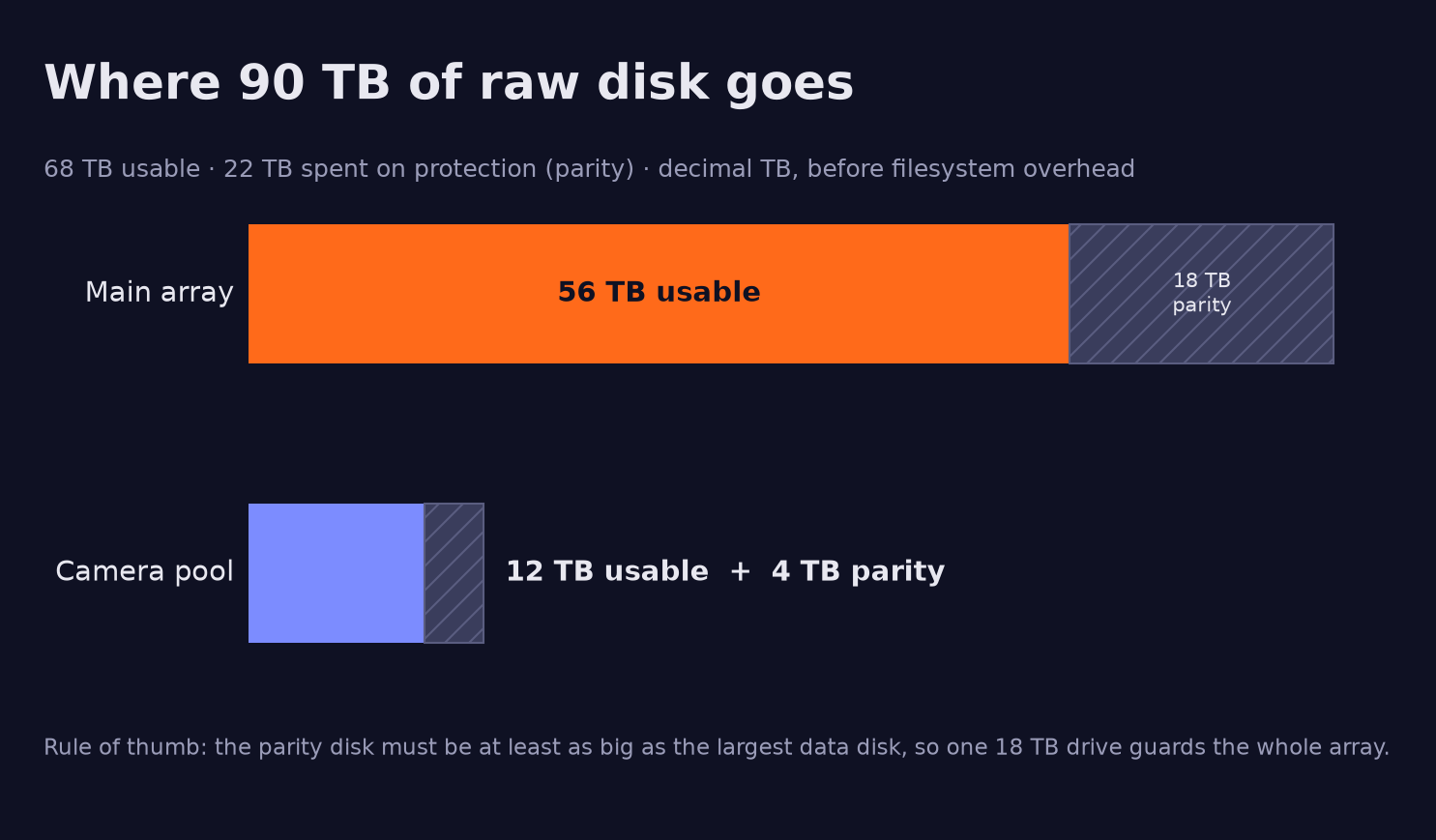
| Hard drives total | 9 HDDs | 90 TB | 68 TB | 22 TB |
18 + 18 + 10 + 10 = 56 TB of data disks, with the third 18 TB as parity. Drive makers count decimal terabytes and operating systems binary tebibytes, hence 50.9 TiB; ZFS metadata trims the camera pool a little further.
| Model | Capacity | Role | Status |
|---|---|---|---|
| 3 × WD Ultrastar DC HC550 | 18 TB each | One parity, two data | In transit |
| 2 × HGST Ultrastar HC510 | 10 TB each | Data, irreplaceable files | Live, no parity yet |
| 4 × 4 TB (WD Purple and others) | 4 TB each | Camera pool | Planned; which four is open |
| Crucial MX500 + BX500 | 1 TB + 240 GB | Fast tier | Live |
| 16-port SATA card (ASM1064 + 3 × JMB575) | 16 ports | Camera and replaceable data only | Live |
| Node 804, ASRock B450M, Ryzen 7 1700 | 8 × 3.5″ bays + floor mounts | Platform | Live |
Why a separate camera pool
Camera recordings write around the clock. On the array every write touches a data disk and parity, so neither would ever spin down, which defeats an archive that otherwise idles at almost no drive power. A separate ZFS raidz1 pool keeps that load away, and ZFS checksums every block and repairs bad ones from parity, ideal for worn drives holding replaceable footage. Which four drives qualify is still open.
The SSD tier and its wear
btrfs RAID1 keeps two copies of every block on different devices, so the smaller SSD sets the size: about 223 GB. It holds Docker, app data and the photo database, which sits directly on the pool path, never on Unraid’s FUSE user-share layer, where Postgres can crawl or corrupt. SMART attribute 202 shows the MX500 with 3% of its rated life used and the DRAM-less BX500 with 91% remaining after 23,378 hours.
The 16-port card caveat
The board has six SATA ports; sixteen more come from a PCIe x1 card: an ASM1064 controller whose ports feed three JMB575 port multipliers (1 + 3 × 5 = 16), all sharing one PCIe lane. One multiplier reset can knock up to five disks offline at once, and Unraid disables array disks that drop out. An LSI HBA or M.2 card would be better, but the graphics card the board needs to POST takes the x16 slot, and this card covers the M.2 slot. So the card stays, under a rule: parity, the HC510s and anything irreplaceable use the board’s own ports.
Moving 501,352 files without trusting anything
The copy ran on the new NAS, pulling from the old share mounted read-only, one folder per rsync job, irreplaceable data first, at about 55 MB/s. A summary log let a restarted job skip finished folders. Tier 2 finished at 4.43 TB and 501,352 files, every rsync exit code zero; music alone was 2,843 GB in 274,442 files. Everything else followed the next day. Verification comes in three strengths:
- Fast pass (done): an rsync dry run comparing size and modification time, with two seconds of timestamp tolerance. A folder passes with zero missing or different files. Everything passed.
- Full content pass (next): the same script with
--checksum, reading every byte on both sides, about as slow as the copy. It is the gate before the old NAS retires and has not run yet. - Hashes over time (set up): XFS cannot spot silent corruption, so Unraid’s File Integrity plugin hashes the irreplaceable tier.
The agent also wrote a cold-copy job for an old spare machine: wake it over the network, sync the irreplaceable tier, keep deleted or overwritten files in dated folders for a while as an accidental-delete and ransomware net, SHA-256 check a random sample on both ends, then power it off. Written; deployment not yet confirmed. Parity is not a backup; this is.
Immich is running on the NAS (server, Postgres with VectorChord, Valkey) with machine learning offloaded to our NVIDIA DGX Spark. There is no official arm64 CUDA image, so it runs on the Grace CPU cores, still far faster than the Ryzen and using none of the NAS’s 8 GB. A 219.1 GB Google Takeout in 22 archives is planned to import in one run, because a photo and its JSON sidecar can land in different archives; Immich skips byte-identical files by SHA-1. The import is not confirmed done.
Sound House: a dashboard with a Knight Rider scanner
The agent also built “Sound House”, a custom Unraid dashboard: near-black background, orange accent, Orbitron headings and a Python-generated banner of EQ bars and a sound wave. Tiles track storage, migration and the drive-test bench. Active jobs show segmented progress bars with a KITT scanner, one orange light sweeping and bouncing back with a fading tail; alerts get a red sweep.
Underneath, a PHP collector runs every five minutes behind a non-blocking lock, so runs never overlap, and writes its JSON to a temporary file before renaming it into place, so the page never reads half a file. Share sizes come from a separate du job at the lowest CPU and disk priority. Temperatures are read with smartctl -n standby, which skips a sleeping disk instead of waking it. Pool size is used plus available, because a btrfs RAID1 raw total counts both mirrors.
What went wrong, and what we learned
- The 3.3 V pin. Ultrastar drives use the SATA Power-Disable pin, and our PSU puts 3.3 V on it, so a healthy 10 TB drive simply did not exist. Molex-to-SATA adapters fixed it; the 18 TB drives need the same.
- Half the RAM is missing. Memtest86+ found 7.93 GB of 16 GB mapped, single-channel at 13.8 GB/s, zero errors. A faulty stick is suspected. Still open.
- Backups under load. The first hypervisor backup partly failed because a soft NFS mount timed out under the migration copy. A hard mount with long timeouts and a 50 MB/s cap fixed it; the rerun, about 41 GB, succeeded.
- Used drives are a lottery. One dead parity drive cost a week of plan churn. Ask for SMART screenshots, buy where returns are accepted, test before trusting.
Where it stands
Live: a 20 TB array of two 10 TB drives (no parity yet), the SSD tier, tiered shares, every old-NAS file copied and fast-verified, Immich up, the dashboard glowing orange. In transit: three 18 TB drives. Next: SMART check and preclear, build parity, verify byte for byte, build the camera pool, import photos, deploy the cold copy, retire the old box. Open: the missing 8 GB of RAM.
Glossary
- Parity: data computed from the other disks so one missing disk can be rebuilt. Protects against failure, not deletion.
- Preclear: reading, zeroing and re-reading a drive before use, to catch early failures.
- SMART: the health counters every drive keeps about itself.
- raidz1: ZFS single parity, spread across all drives; one can fail, two lose the pool.
- Scrub: a full read of a ZFS pool that checks every checksum and repairs bad blocks.
- Checksum: a short fingerprint of data; change one bit and it no longer matches.
- NFS: Network File System, for mounting another machine’s share like a local folder.
The same method, applied to client infrastructure
The agent researches, measures and writes the plan, the runbook and the scripts. A human approves anything that spends money, wipes a disk or touches hardware. Every step has a stop rule, a state file and a report. That is how we run infrastructure work at D3X Solutions LABS: migrations, storage rebuilds and automation, each with a written method statement, explicit approval gates and verification before anything old is switched off. It is why the work compounds, as argued in software systems that compound: each runbook makes the next job faster.
Got a migration nobody wants to touch? Talk to D3X Solutions LABS about running it with an agent and a human in the loop.
FAQ
What is a NAS, and do I need one?
A NAS is a computer that stores files for every other device on your network. If your photos and projects live on one laptop or a pile of USB drives, a NAS with parity gives them a home that survives a drive failure. You still need a backup.
Why use Unraid instead of ZFS for the main array?
For a cold archive of mixed drives, Unraid gave 3 to 4 TiB more usable space, spins up only the drive being read, and loses only the failed disks’ files if two die at once. ZFS still runs the camera pool.
Why does the parity drive have to be the biggest?
Parity covers every bit position on every data disk. A data disk larger than parity would have an unprotected region, so Unraid requires parity to be at least as large as the largest data disk.
Is it safe to buy used enterprise hard drives?
With checks, yes. Ask for SMART data showing zero reallocated, pending and uncorrectable sectors, buy where returns are accepted, and preclear before trusting it. Our first used parity drive arrived dead.
What did the AI agent do, and what did the human do?
The agent researched, planned, scripted, ran tests and copies, verified and reported. The human handled hardware, approved purchases and wipes, and made every consequential decision.
Does parity replace a backup?
No. Parity rebuilds a failed drive but faithfully preserves accidental deletions and corruption. Irreplaceable data gets file hashing plus a cold copy on another machine.
Want this working in your business?
D3X Solutions LABS builds AI agents and automation that pay back fast. Set up a free 30-minute call and we will map your first win together.
Get in touch







